01
Add your content
Enter a topic or upload notes, syllabus material and existing papers.

Create question papers, notes, presentations and classroom content. Evaluate student work and keep every resource organised all from one connected workspace.
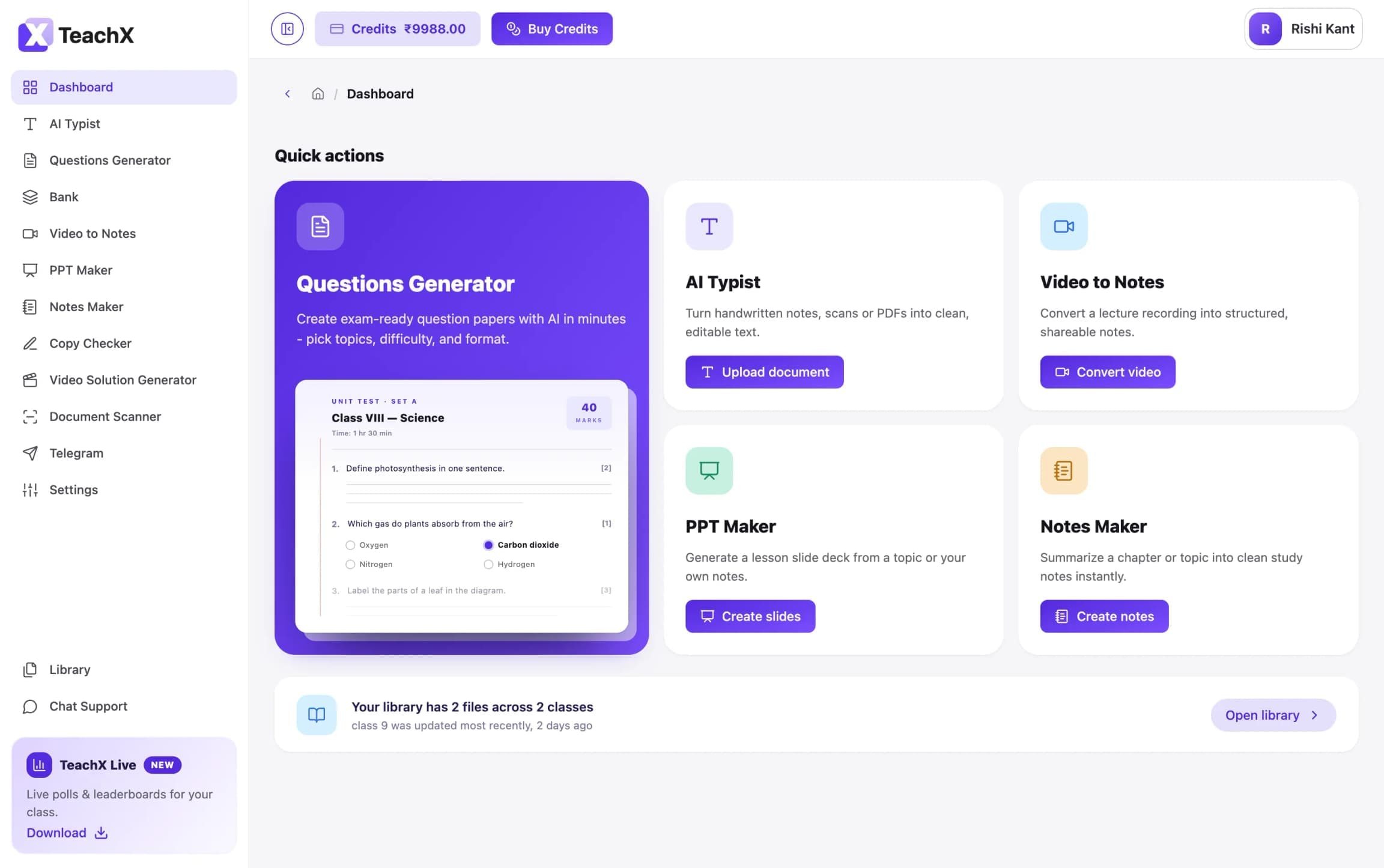
From planning a lesson to evaluating student work, TeachX brings everyday teaching tasks into
one workspace.

Convert handwritten or scanned educational content into editable digital text.

Generate with AI, select questions manually or create from your uploaded material.

Turn a topic, document or lesson into clear, structured revision notes.

Create editable classroom presentations with explanations and visual structure.

Evaluate descriptive answer sheets with configurable AI-assisted grading.

Save, organise and reuse questions across future papers and assessments.
Your work stays connected from the first source document to the final classroom output.
01
Enter a topic or upload notes, syllabus material and existing papers.
02
Choose the class, difficulty, language, format and teaching requirements.
03
Edit the result, organise sections and apply your institution's branding.
04
Export, present, conduct online or send it for AI-assisted evaluation.
If you create learning material, teach a class or assess learners,
TeachX can support your workflow.

Create lessons, assessments, presentations and learning material for any subject or curriculum.

Prepare personalised resources, homework and tests for individual learners or small groups.

Build branded course material, manage assessments and evaluate learner submissions at scale.

Create workshops, onboarding material, certifications and evaluations beyond academic subjects.
ChatGPT is a library — it knows everything and nothing about your class. TeachX is a lesson planner: it knows your syllabus, your grade, and what you generated last Tuesday, and hands you a ready-to-use document instead of a blank chat.
Yes. Upload your own notes, worksheets or syllabus PDFs and TeachX builds around them instead of guessing. Everything you upload also saves to your Library, ready to reuse next term.
Yes. Your uploads and generated files stay in your account and are never used to train shared models. Institute admins get role-based access, so student data is only visible to the staff who need it.
Create, teach, evaluate and reuse your best classroom material with TeachX.